
Monthly
A shorter commitment while you put the lists to work.
$34 per month

GSA SEARCH ENGINE RANKER LINK LISTS
Feed your projects with GSA SER verified link lists, contextual backlink opportunities and top-tier selections specialised for higher-tier use. Put your attention on the campaigns you want to run, instead of another round of scraping.
Selling since 2015 · 48-hour no-questions refund request
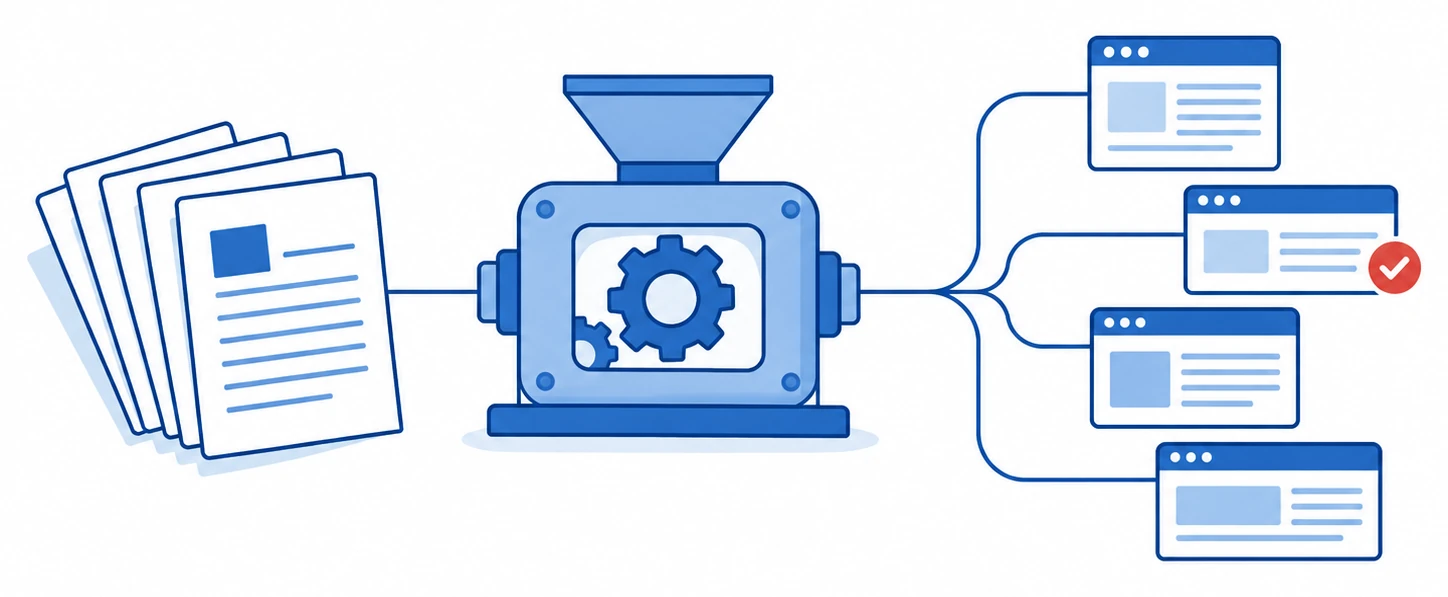
Target supply for the engines and filters you choose.
THE WORK BEFORE THE FIRST SUBMISSION
Another footprint search. Another batch of repeat URLs. A promising harvest that still needs sorting and testing before it becomes useful to your project.
When target supply is the bottleneck, a faster machine or a higher thread count doesn't solve the whole problem. You still need places your selected engines can work with, including the contextual and dofollow opportunities you were looking for.
Footprints and queries produce candidates, not a finished backlink campaign.
Blocked searches and failed requests consume attention before posting begins.
Repeated URLs add processing work without adding another target.
Platform recognition, submission and verification are different checks.
SER Power Lists supplies targets for GSA SER so you can spend less of your working session assembling them yourself. You can still run your own discovery. You simply don't have to discover every supplied target before putting it to work.
WHAT GOES INTO YOUR CAMPAIGNS
A large raw file says little about whether it suits the project you're building. Our focus is a useful platform mix, contextual opportunities and top-tier selections, with automatic duplicate removal behind the supply.
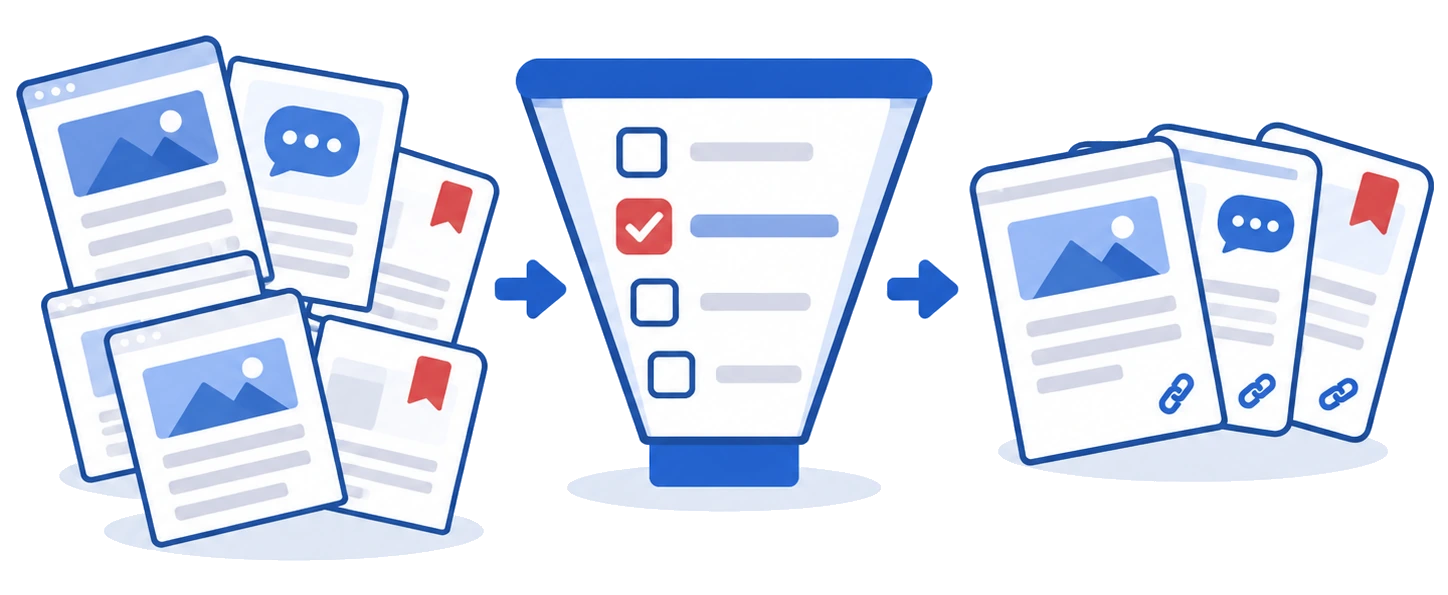
Alongside general GSA SER link lists, we provide top-tier selections specialised for higher-tier use. Start with the targets that fit your project, then apply your own quality and relevance checks.
We prioritise articles, forums, social bookmarking and wikis while seeking useful opportunities across GSA SER-supported platforms. These are priority examples, not the full platform list. Look for contextual backlinks where your content and link fit the page.
The lists are mostly dofollow, giving operators who prioritise dofollow links a relevant starting point.
Duplicates are removed automatically as part of list processing. This reduces repeated URL handling.
We do not deliberately scrape indexer, exploit or trackback targets, and actively work to reduce these entries. We seek useful opportunities across supported platforms rather than collecting unwanted targets just to inflate a count.
KEEP YOUR GSA SER WORKFLOW SUPPLIED
Low LPM is frustrating when your projects are ready but target discovery keeps getting in the way. A supplied list lets you move to working those targets rather than searching for them first. That's the practical reason to buy verified link lists.
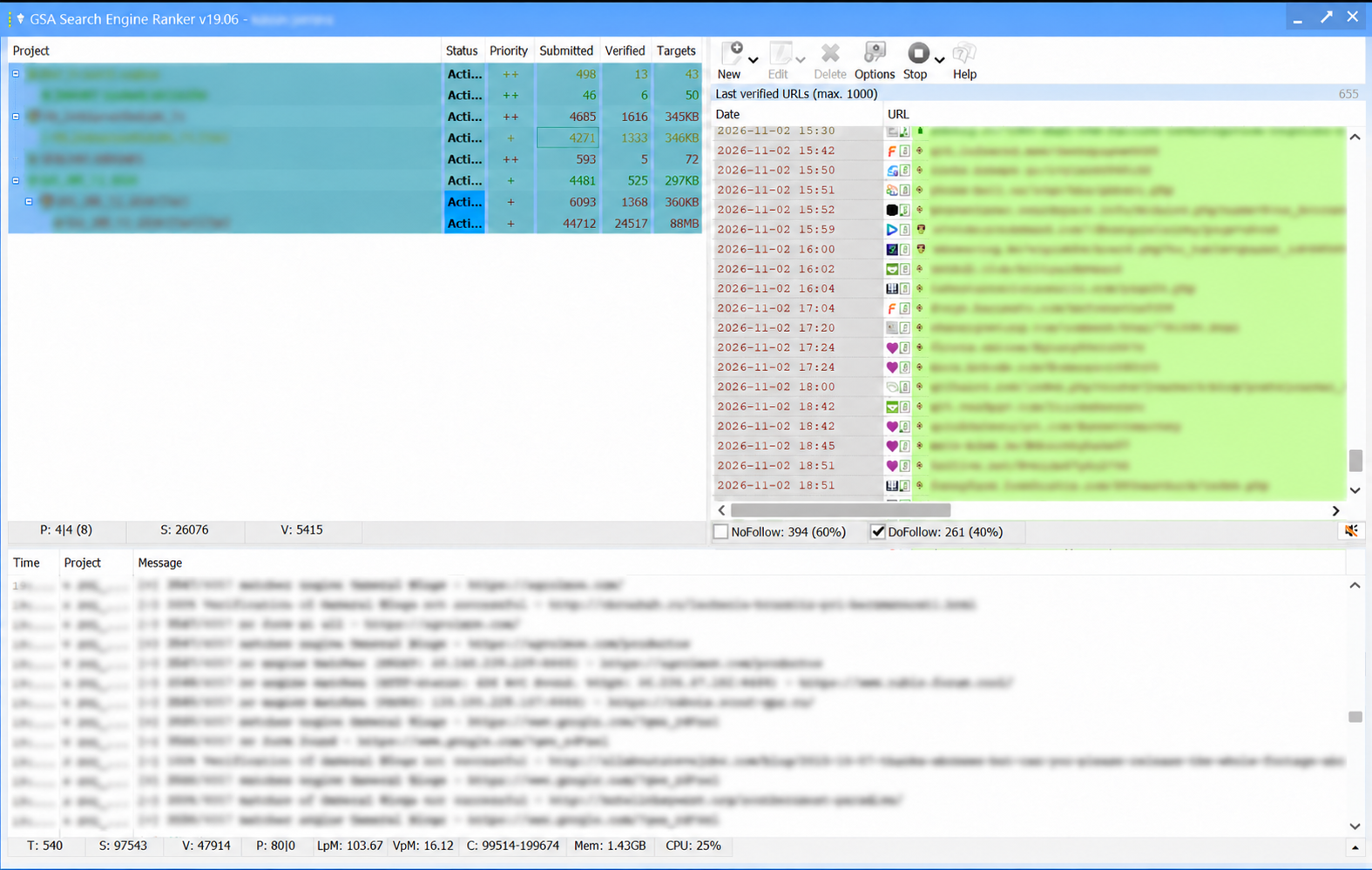
Watch VPM alongside LPM. LPM reports links per minute; VPM tracks verified links per minute. A busy submission log matters less if your projects aren't finding their links live afterwards. Match the lists to your selected engines and filters, then inspect what verifies.
Your setup still matters. Use suitable private proxies, working email accounts and content that fits the platforms. Configure CAPTCHA solving, whether you use GSA Captcha Breaker, XEvil or another compatible option. You provide those tools and services separately; they aren't included in this subscription.
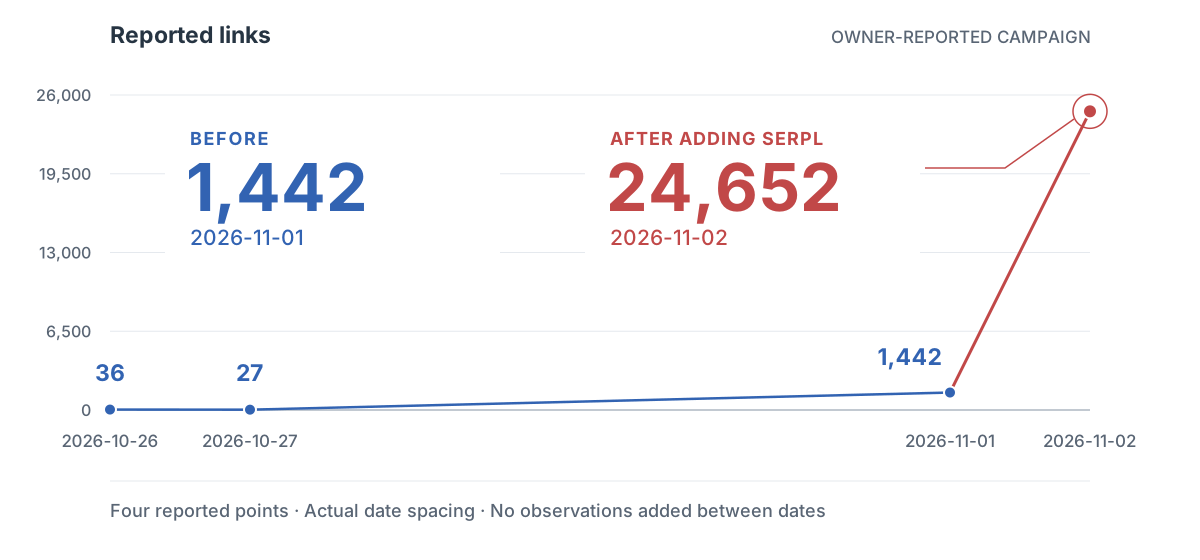
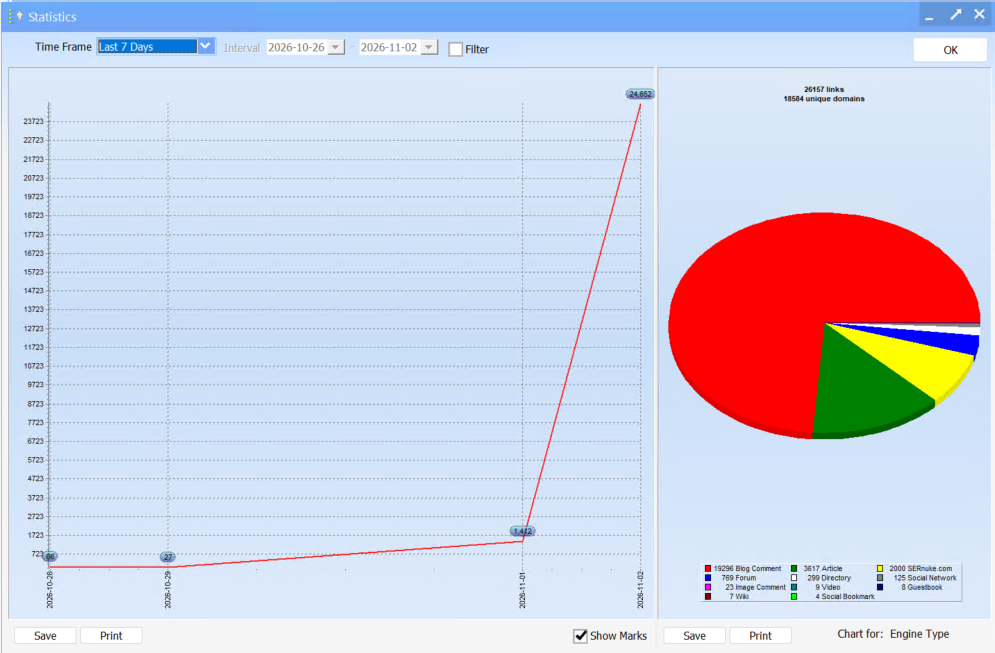
ONE CAMPAIGN, BEFORE AND AFTER
AI SEARCH, WITHOUT THE SHORTCUT CLAIMS
AI answers can satisfy a question before someone clicks a result. That changes how you judge visibility: a ranking, an AI citation and a visit to your site are different things. It doesn't mean web pages have stopped being sources. Google still describes link analysis and PageRank in its ranking systems, and AI search can retrieve and cite web pages.
GSA SER still gives you configurable automation for repetitive campaign work. The decision is what to automate, which targets belong in your project and how you'll check the output. More submitted links alone cannot answer whether a campaign helped your business.
SER Power Lists supplies targets, including top-tier selections and contextual opportunities. You choose the content, engines and strategy. If you're weighing that purchase against the claim that AI has made SEO pointless, start with the evidence and its limits. Our guide separates search changes, tier architecture and the checks worth keeping.
BUILT FOR OPERATORS WHO CHOOSE THEIR TARGETS
Use general lists for broader campaigns and top-tier selections when you want to be more selective. For tiered link building, choose the engines and content appropriate to each layer rather than treating every project alike.
You might be supporting carefully built properties, testing a niche project or running several campaigns. The useful question is which targets belong in each project. Our tier advice below gives a practical starting point without pretending one configuration suits every site.
Subscribe, sign in once your membership is enabled, and submit your Dropbox email. Automatic sharing removes the human approval queue. Accept the invitation if prompted, then sync the lists to your GSA SER machine.
CHOOSE YOUR SUBSCRIPTION
Start monthly to evaluate the workflow in your own setup, or choose a longer commitment for ongoing projects. Prices are in US dollars. Check the billing schedule and renewal terms at checkout before you pay.
A shorter commitment while you put the lists to work.
$34 per month
Plan ahead for campaigns that need more time.
$167 for six months
A longer commitment for your ongoing GSA SER work.
$299 for one year
If they aren't right for you, request a refund within 48 hours of purchase, no questions asked. The window starts at purchase, so set aside time to test. This is a paid purchase with a refund policy, not a free trial.
Use is limited to two IPs. No pooling, group buying or redistribution.
A FEW PRACTICAL QUESTIONS
Target choice, setup and purchase terms, without the guesswork.
Verified targets are places where a link has previously been submitted and confirmed. That is more than recognising a platform, but it doesn't promise your next submission will be accepted. Your project must create and verify its own links. Verified also doesn't mean indexed by a search engine.
The lists are not restricted to lower tiers. Some experienced operators use carefully selected targets at Tier 1, based on their own risk and quality assessment. For first-tier links, we recommend manually building and checking quality Web 2.0s, self-hosted relevant properties, suitable niche or exact-match-domain projects, or buffer sites, with selected GSA SER targets and Tier 2 support where appropriate.
Google classifies links created primarily to manipulate rankings, including automated link creation, as link spam. A top-tier label, buffer layer or EMD does not make a campaign compliant or guarantee rankings. See the guide's policy explanation.
No. We prioritise contextual opportunities and a mostly dofollow mix, but placement varies by platform. An article-body link and a forum profile link are different things. Review the resulting page and link attributes rather than assuming every target produces the same kind of backlink.
We use automated URL deduplication. We don't guarantee zero duplicates in every file at every moment, or one URL per domain. URL uniqueness and domain uniqueness are different checks.
We don't deliberately scrape these targets and actively work to reduce them. Incidental entries can still occur, so retain your engine selections and filters rather than treating cleanup as a guarantee of none ever appearing.
There is no fixed rate. Engines, filters, proxies, CAPTCHA solving, emails, content, machine resources and target availability all affect output. Compare your own controlled runs and inspect verified links. SER Power Lists does not promise a ranking, indexing or AI-citation outcome.
Your own GSA Search Engine Ranker licence and suitable Windows environment, plus campaign content, email accounts, proxies and CAPTCHA solving appropriate to your targets. GSA Captcha Breaker and XEvil are examples of separately supplied tools, not bundled licences or a required pair. A list subscription isn't a managed campaign service.
A suitable Windows PC can work. A Windows VPS is useful if you want a separate machine running while your PC is off. Choose according to workload, availability and host terms. Ordinary shared website hosting is not a Windows desktop environment for GSA SER.
Yes, provided your Dropbox account has sufficient available storage for the shared files. Use the Dropbox account you want to sync on your GSA SER machine.
Accept the invitation if prompted, sync the files locally on your GSA SER machine, then configure GSA SER to use them. Keep sync running and make sure your import workflow picks up later updates; a one-time import doesn't do that by itself.
After confirmed payment and member activation, sign in and submit your Dropbox email. Your eligible request triggers automatic viewer sharing, so you do not wait for a person to approve it. Accept the invitation if prompted and sync locally. The request step is required; checkout alone does not send the invitation. If the share or local files do not appear, contact support.
Choose the term that fits your plans and review its renewal terms at checkout. You can request cancellation of future billing through account support; confirmed paid time remains available. For a no-questions refund, submit your request within 48 hours of purchase to [email protected]. Refund processing is separate from when the money reaches your payment account.
No. The service has a two-IP rule and does not allow pooling, group buying, sharing or redistribution. Ask account support before changing your setup if you're unsure how the limit applies.
Get verified link lists with top-tier selections, contextual opportunities and automated URL deduplication.